Simpastil.

Android · Free and open source

Simpastil.

The medication tracker that stays on your phone. For you, and for the people you care for.

  • No account
  • Works offline
  • Phone and tablet
  • AGPL-3.0

Today

Your whole day on one calm screen.

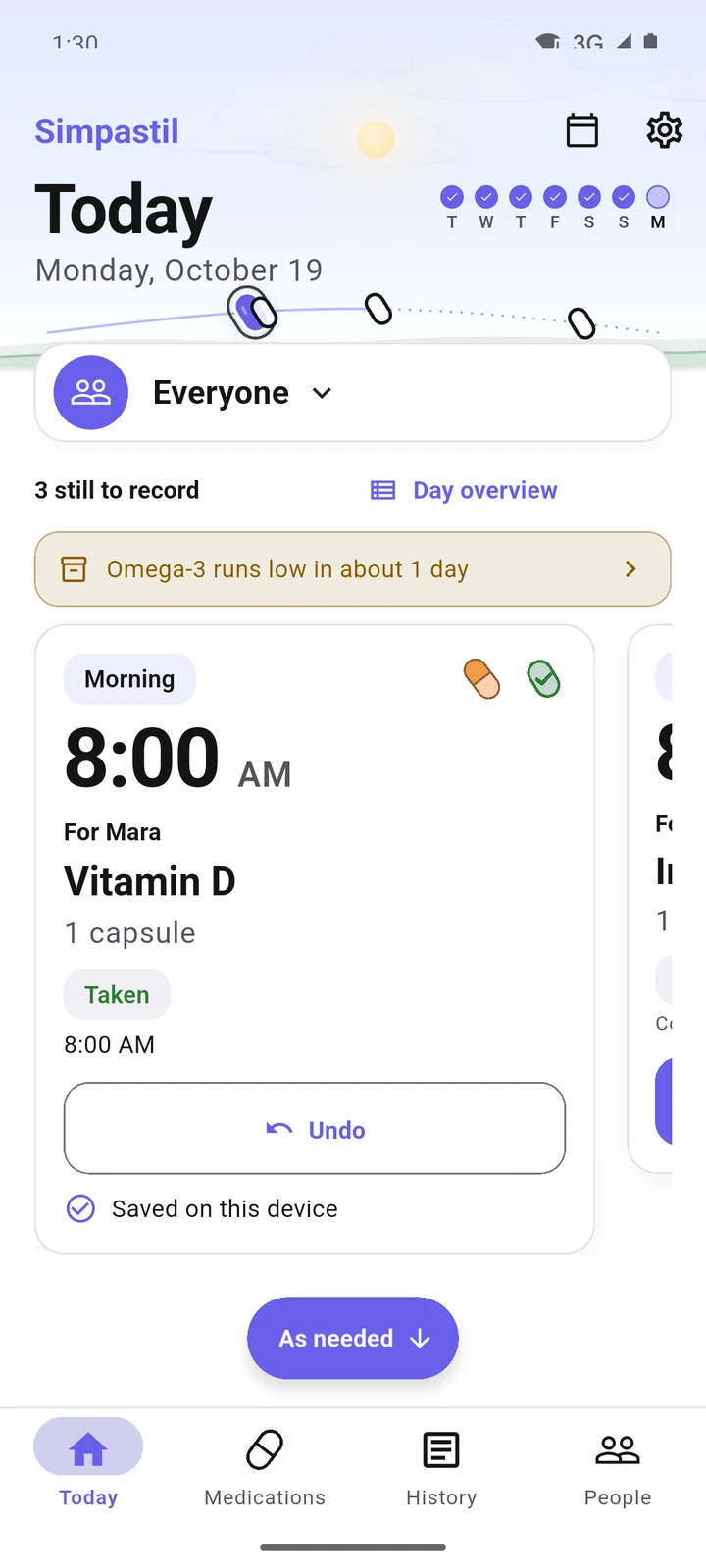
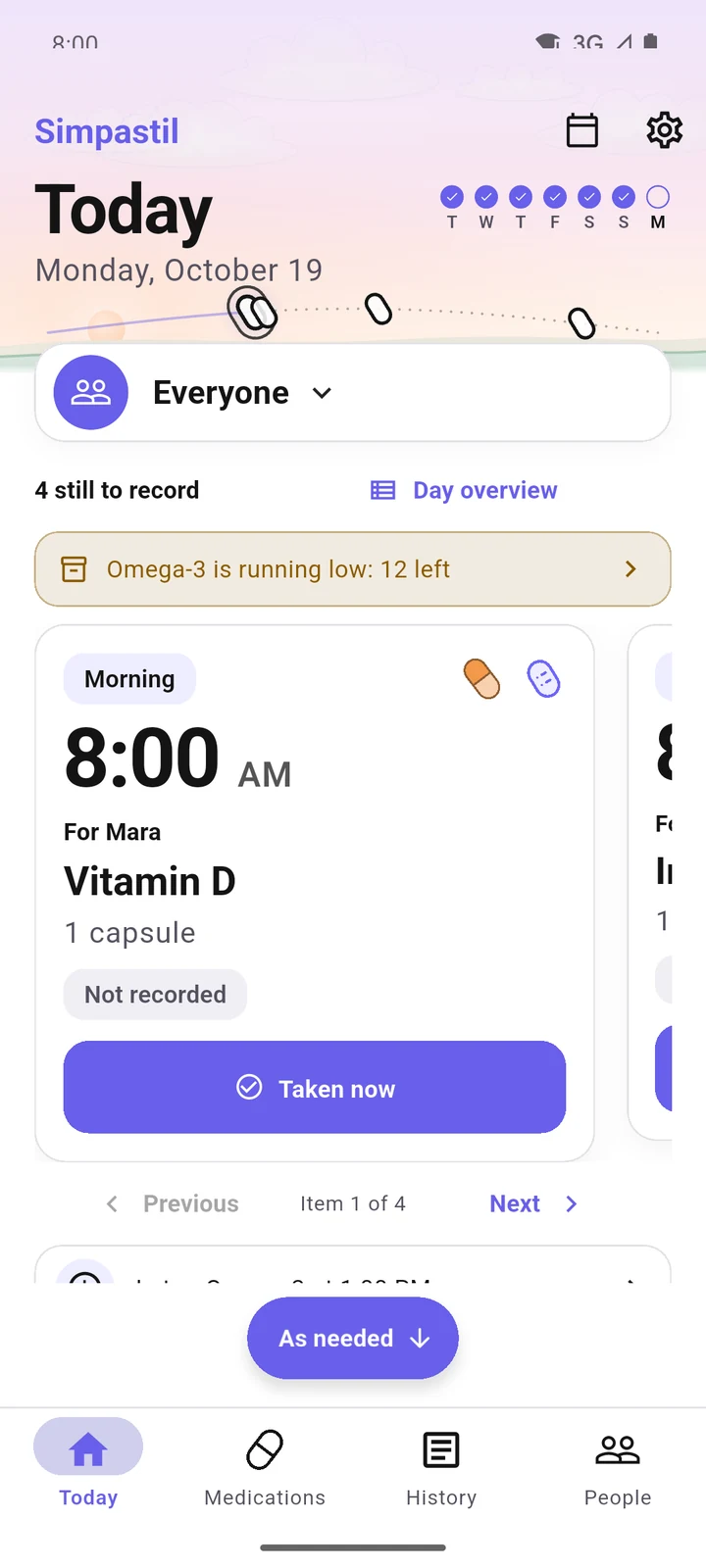
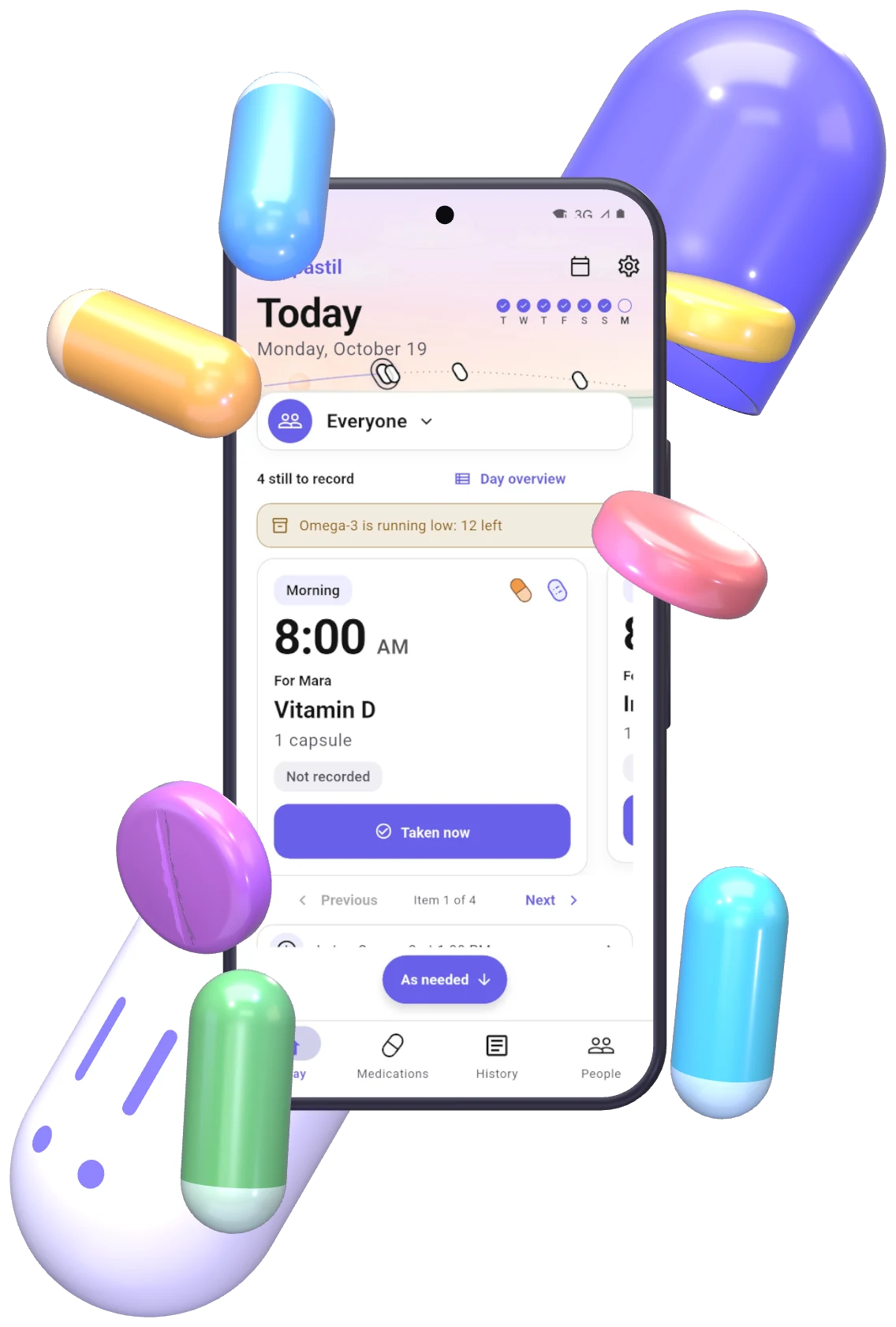
Each dose is a card with its time and who it is for. Taken now records it with one tap.

Recorded

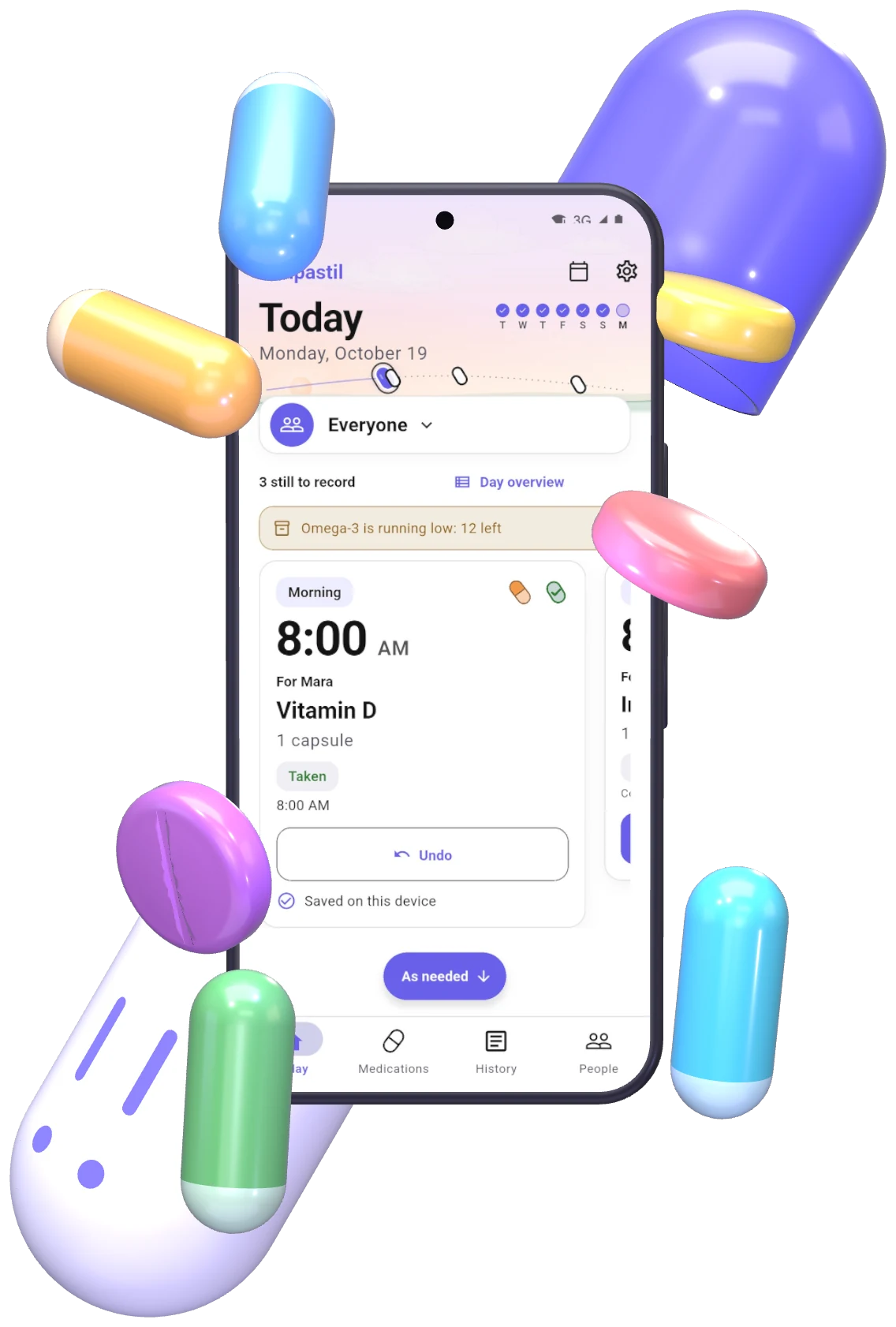
One tap. Saved on your phone.

The time is kept the moment you press. Undo is right there if you pressed too soon.

The Simpastil capsule opened in two halves, with a phone showing Today: Vitamin D for Mara at 8:00, not yet recorded, and pills floating around it.

What's inside

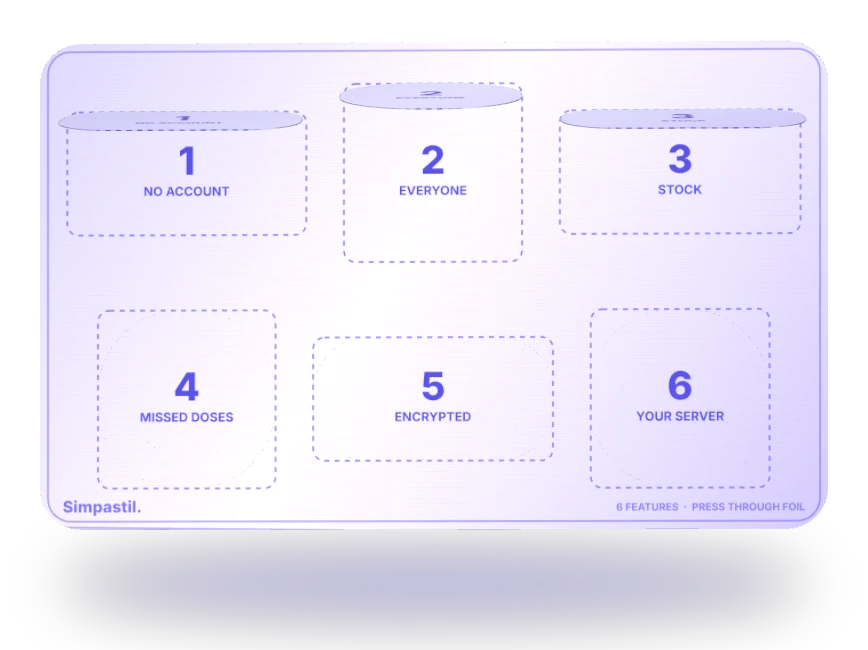
Six things in one pack.

Keep scrolling to press them out one by one, or press any pill yourself.

1 of 6

No account. Nothing to sign up for.

Everything runs on your phone, even in airplane mode. There is no Simpastil cloud to join, and no server unless you run one.

Airplane mode
Vitamin D8:00 AMTaken, saved here

Online. Nothing needs the internet anyway.
2 of 6

Everyone you look after.

Each person gets their own medications, colours and routine. See one person, or the whole household at once. Doses can record who gave them.

Vitamin DMara8:00
IronSam8:30
Omega-3Mara13:00
3 of 6

Know before you run out.

Stock counts down as you record doses. A supply calendar shows the day it runs out, and Today warns you while there is still time to refill.

Omega-312 left

Runs out around Oct 30

4 of 6

Honest about missed doses.

A dose nobody recorded is written down as missed after a delay you choose, an hour unless you change it. Record it late, skip it, or undo. A scheduled reminder never counts as taken.

Magnesium9:00 PM, plannedMissed

Counted as missed in adherence, until you say otherwise.

5 of 6

Encrypted on your phone.

Your history lives in an encrypted database with its key in the phone's secure keystore, left out of Android backups. Optional app lock. Backups you export carry their own password.

9f3a 1c7e 44b0 e2d9 08af 77c1 5e2b a90d c4f6 13e8

6 of 6

Your server, if you want one.

Sync between a phone and a tablet is optional and runs through a server you host yourself, with Docker Compose. An admin console, email invitations and one-time keys. No Simpastil cloud.

Sync with my server

Off. Everything stays on this phone.

  1. 0 of 6 pressed out
A blister pack seen from the foil side, with the first three pills pressed out.

Today, your way

Six ways to see one day.

The same doses and the same history, laid out the way you read best. Switch any time in Settings, under Appearance.

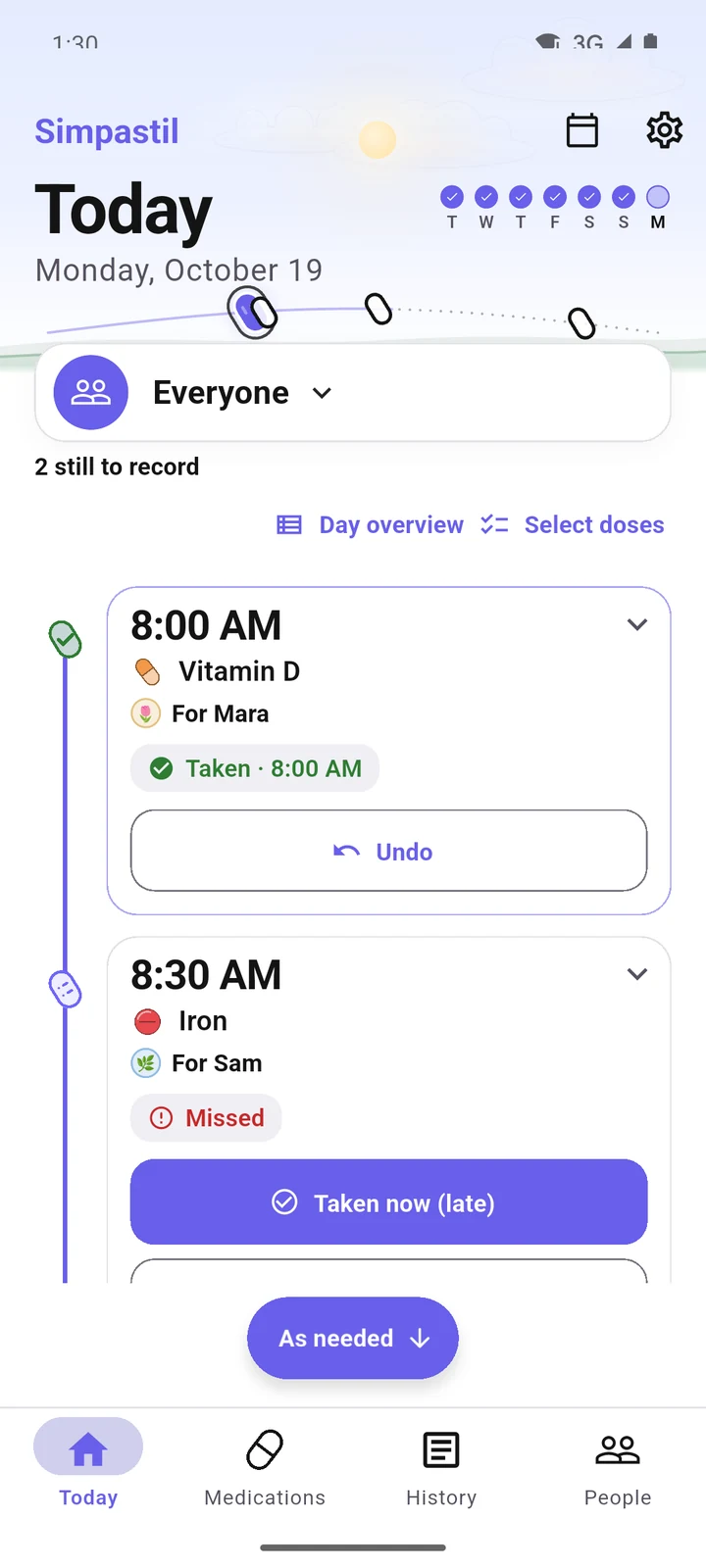
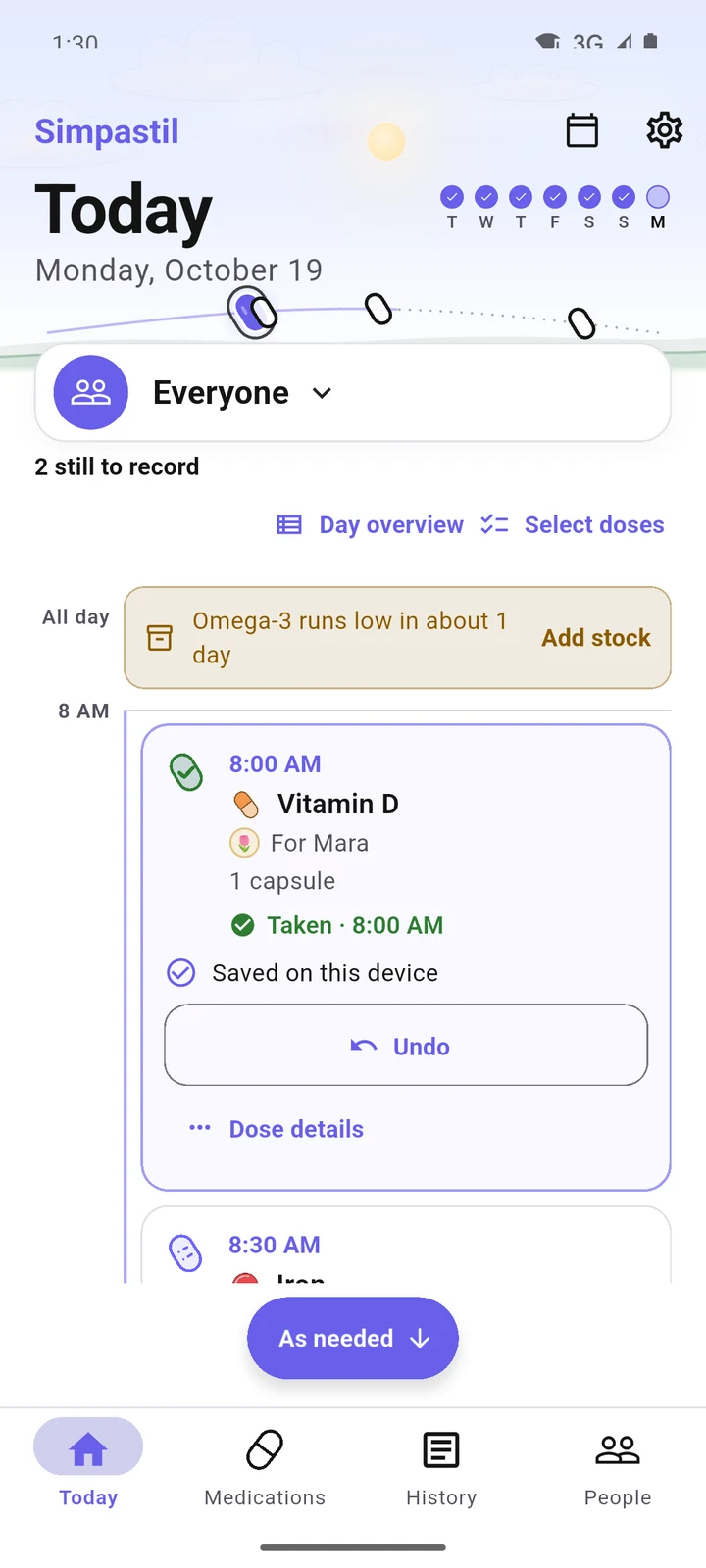
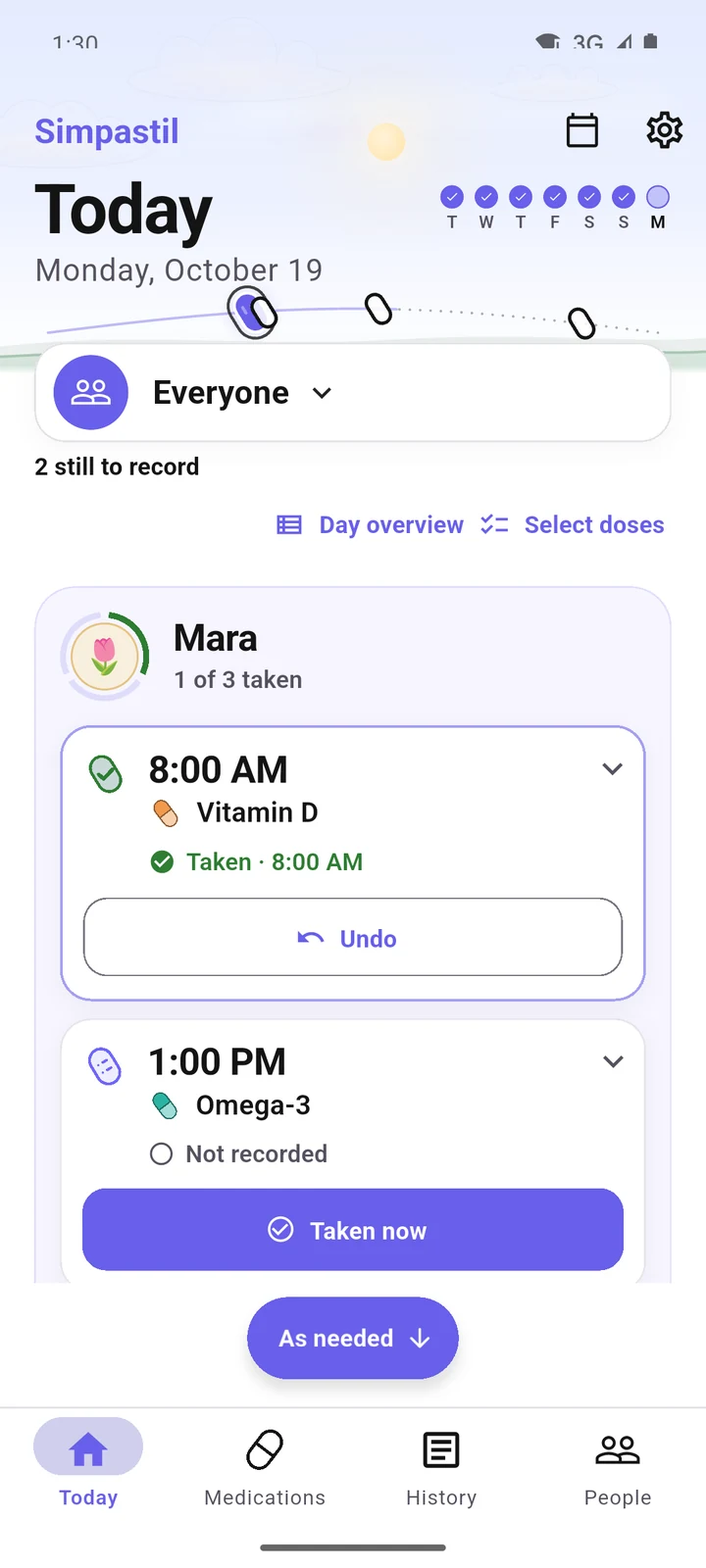
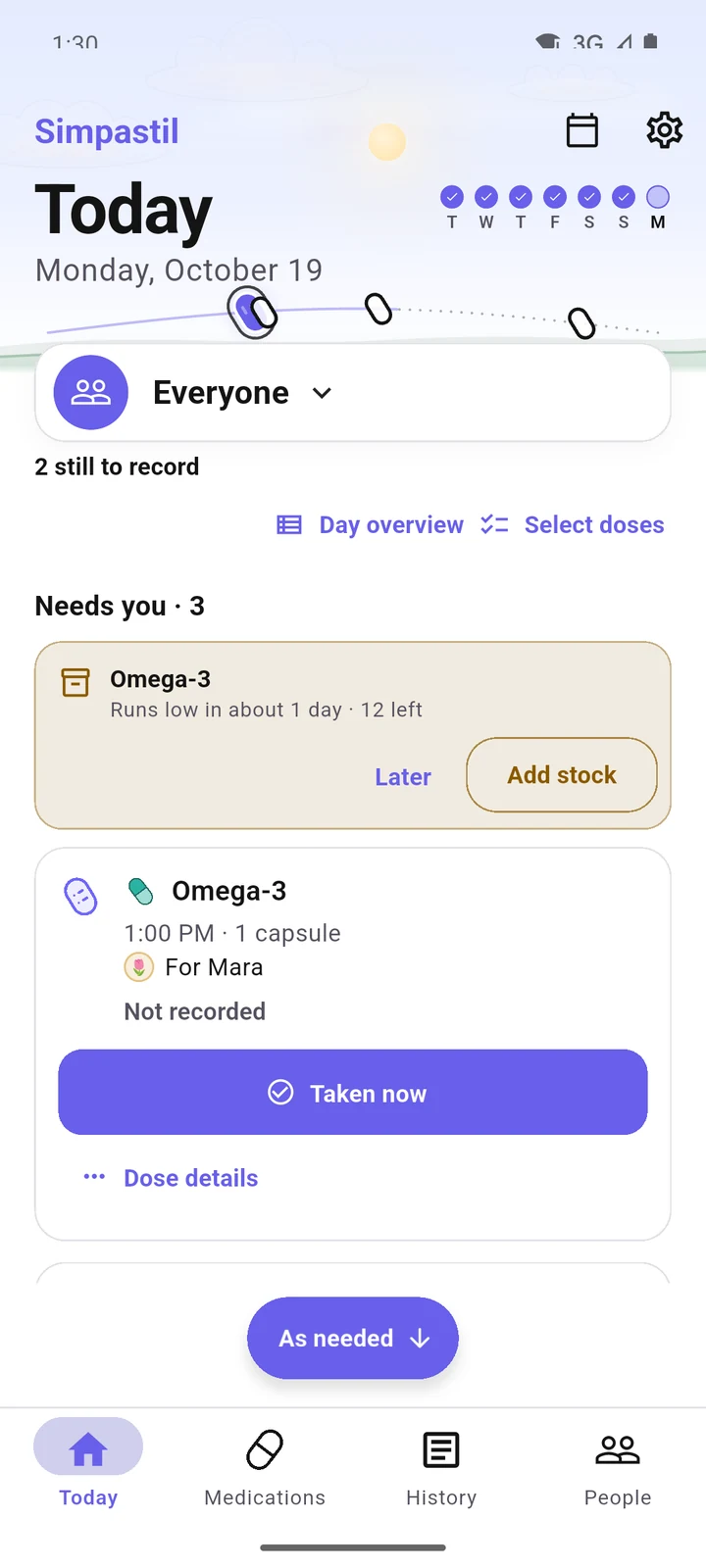
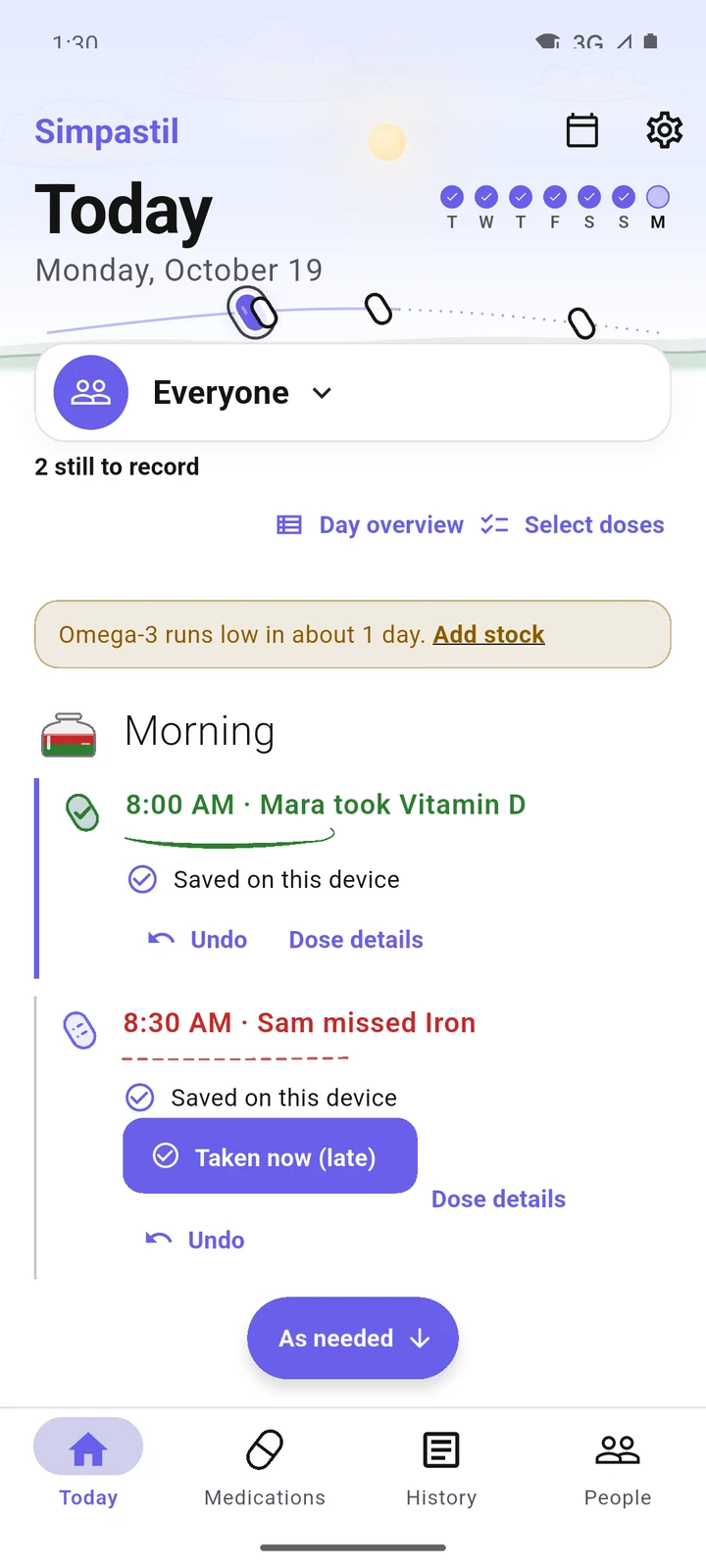
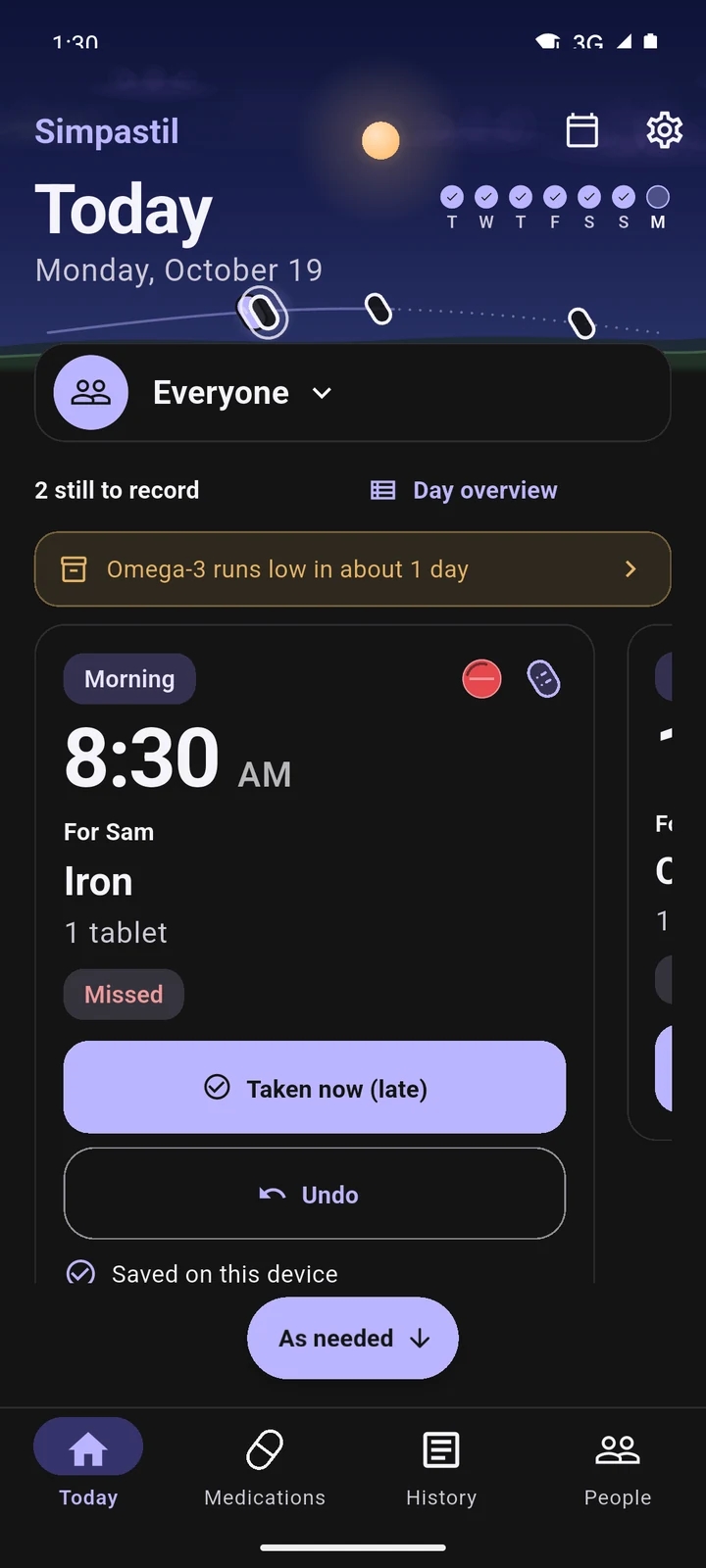
Today in the Focus deck layout at 1:30 PM: Mara's 8:00 Vitamin D card shows Taken, with Undo. Today in the Timeline layout: Vitamin D taken at 8:00, and Sam's 8:30 Iron missed, with Taken now (late). Today in the Day planner layout: an all-day stock note, then the doses under 8 AM. Today in the People lanes layout: Mara's lane, 1 of 3 taken. Today in the Action inbox layout: Needs you, with Omega-3 running low and the 1:00 PM dose still to record. Today in the Daily journal layout: Morning, Mara took Vitamin D at 8:00 and Sam missed Iron at 8:30.

Phone and tablet

Made for one hand. Spread out on a tablet.

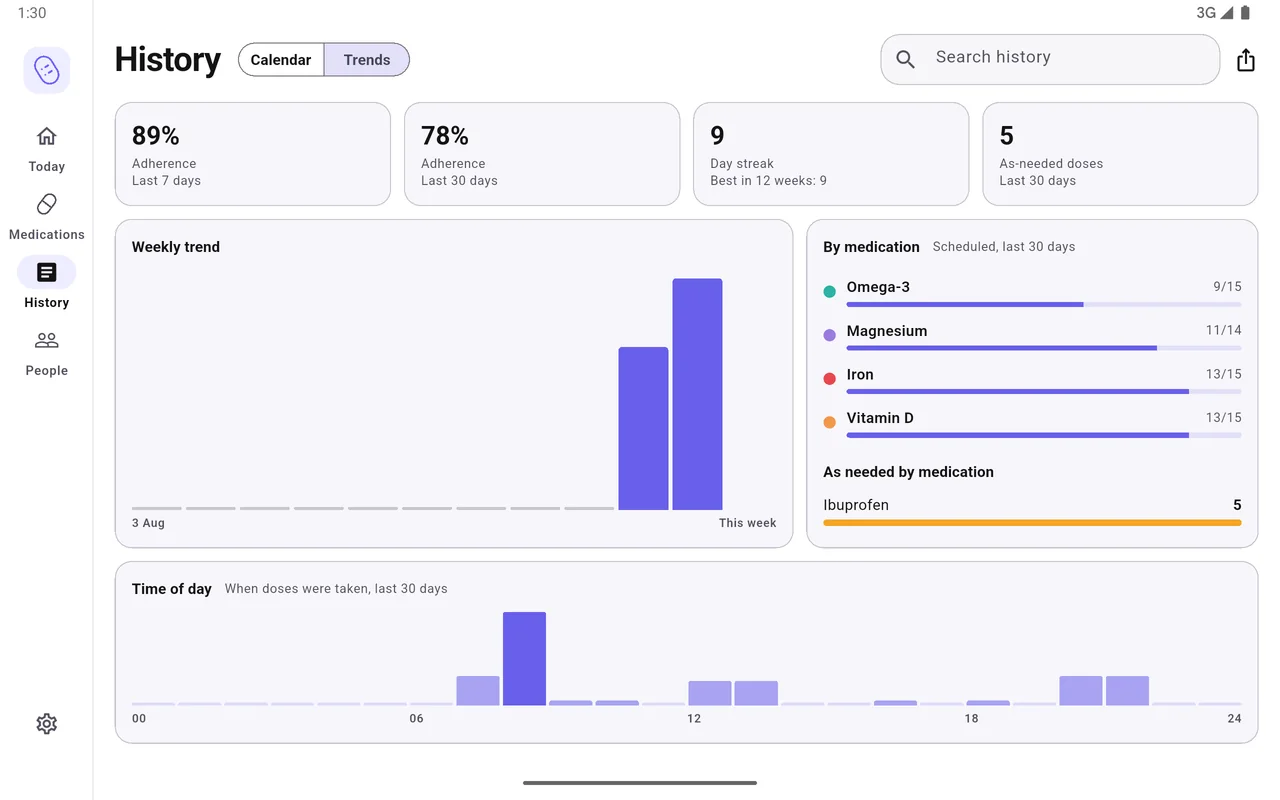
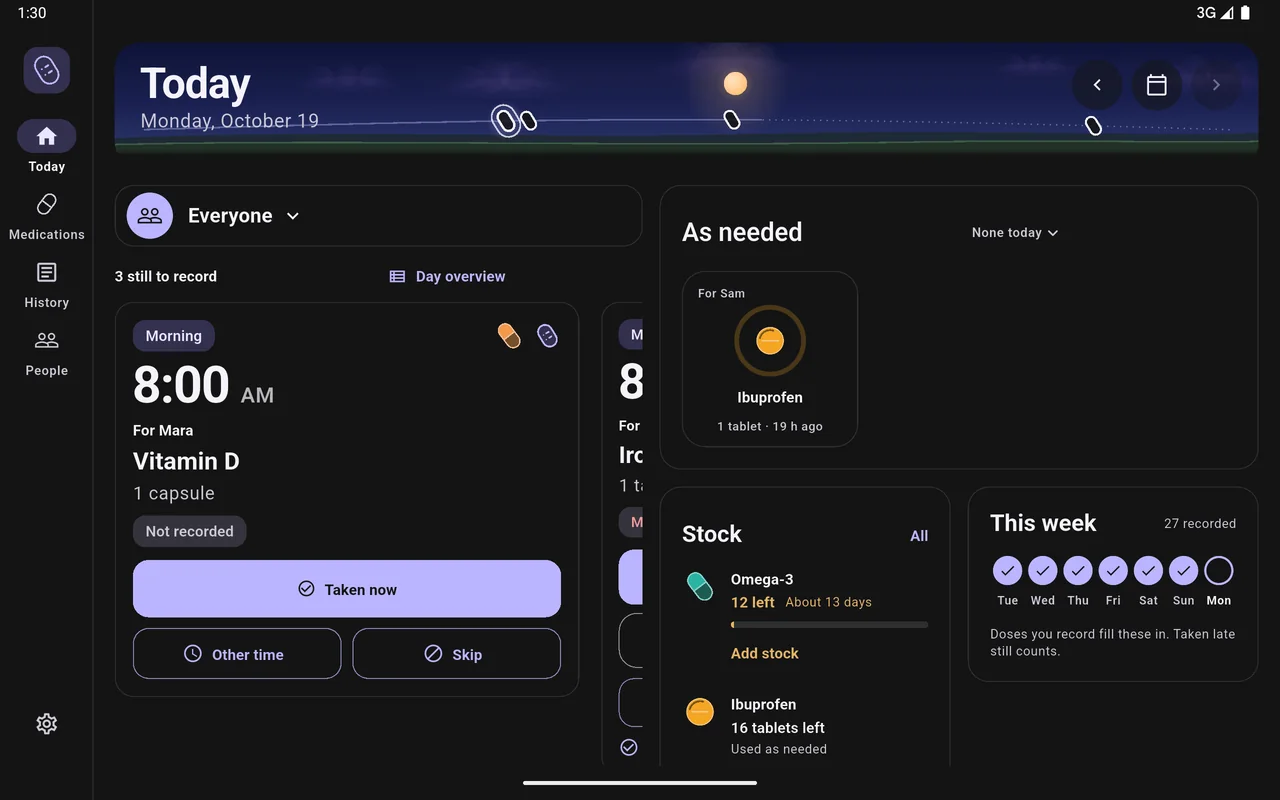
On a tablet every screen gets its own wide layout, with a navigation rail, a two-pane Today, and lists beside their details. The phone has every one of those features, arranged for a thumb.

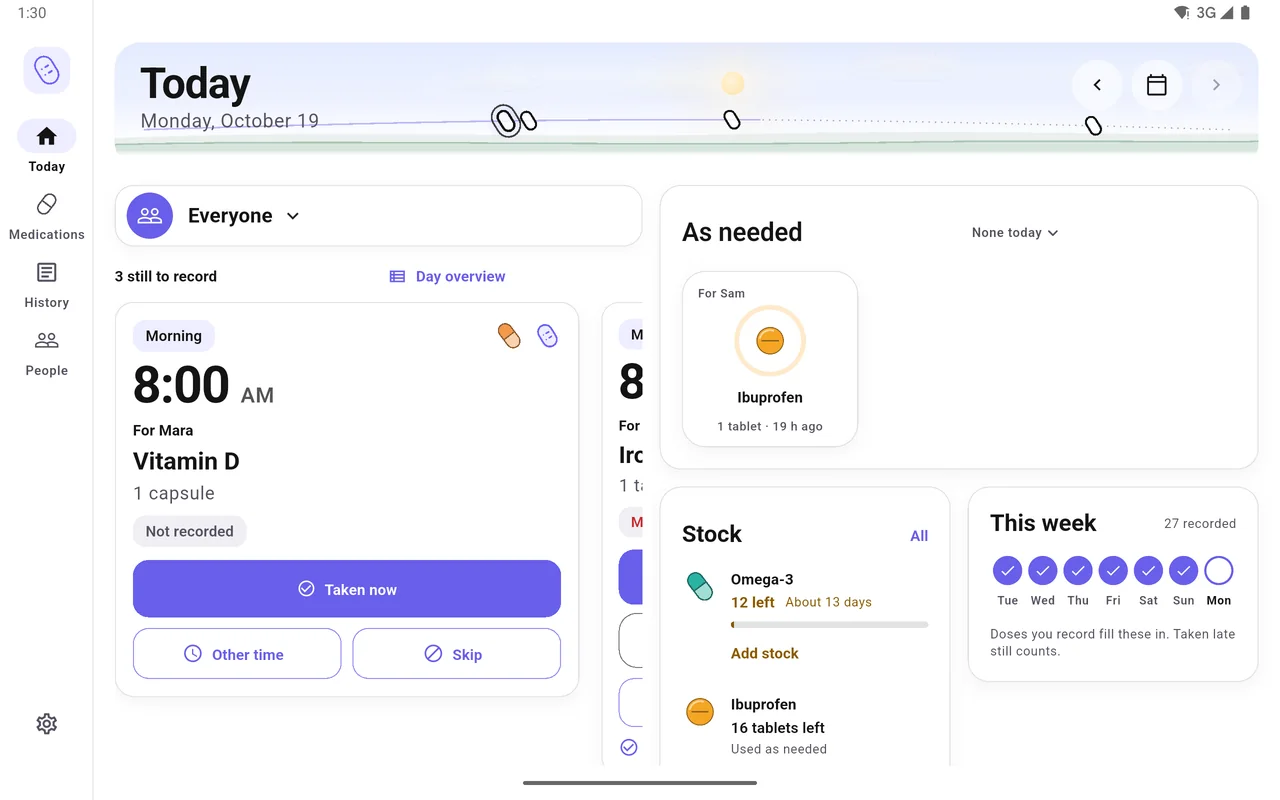
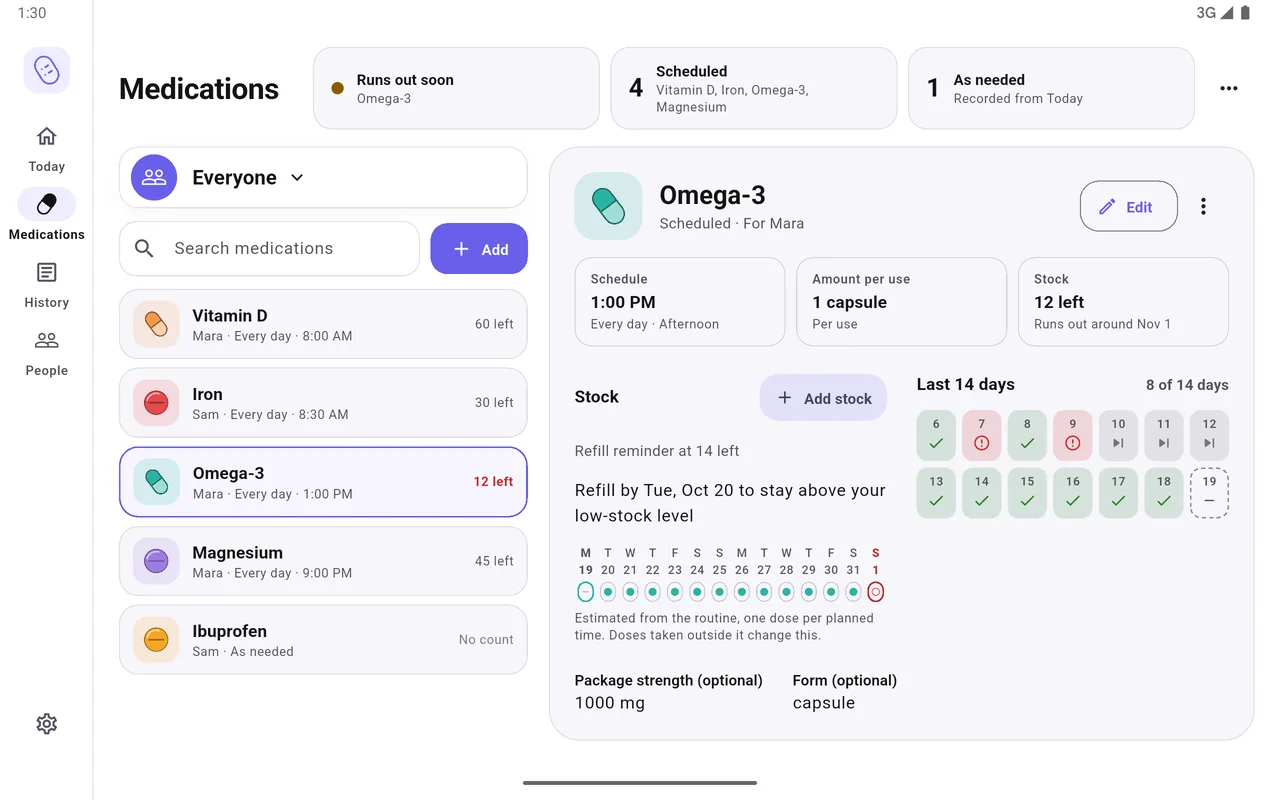
Tablet, landscape: Today with Mara's 8:00 Vitamin D card on the left; As needed, Stock and This week on the right. Tablet, landscape: the medication list beside Omega-3's schedule, stock, refill estimate and last 14 days. Tablet, landscape: History trends with adherence, day streak, weekly trend, each medication and time of day. Tablet, landscape, dark theme: Today with the dose deck, As needed, Stock and This week.
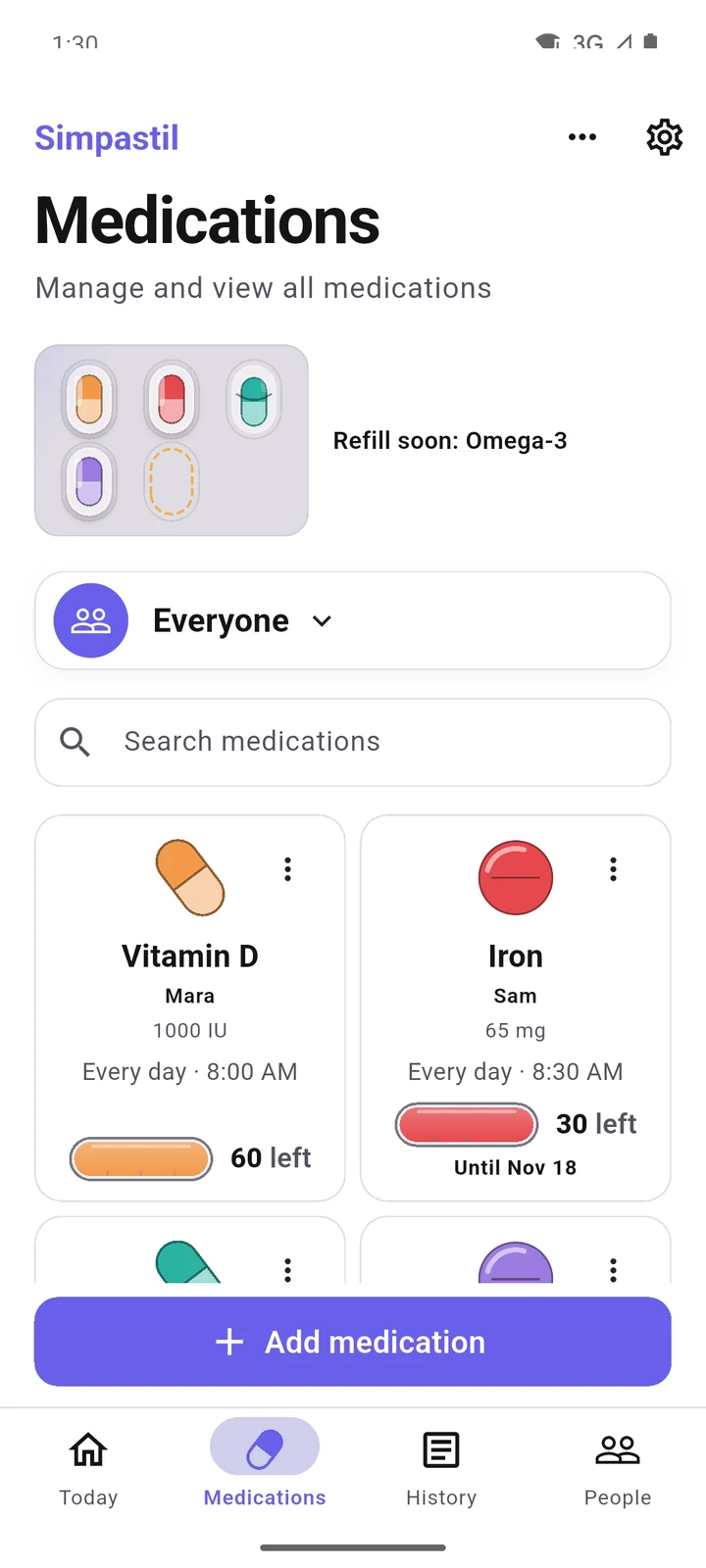
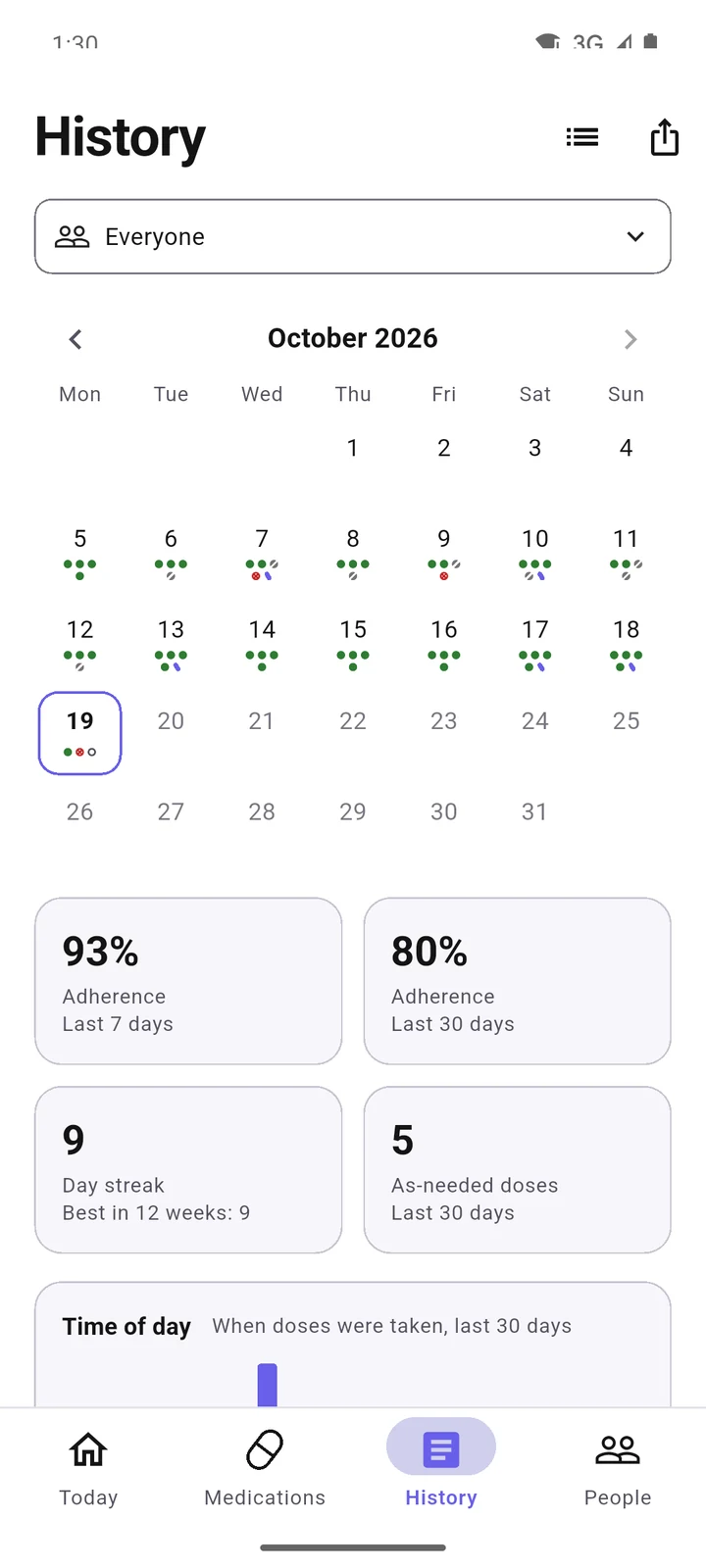
Phone: Today in the Focus deck, Vitamin D for Mara at 8:00 with Taken now. Phone: Medications, each with its pill, routine and stock left. Phone: the History calendar for October, with a dot for each dose. Phone, dark theme: Today with Sam's 8:30 Iron marked missed.

Today on a tablet: the dose deck beside As needed, Stock and This week.

Also inside

Small things that add up.

  • Reminders that do the work

    Taken, Snooze and Skip work straight from the notification, without opening the app. Settings shows whether access, scheduling and delivery are working, and lists the reminders still to come.

  • Hold to record

    As needed

    Medicines without a routine sit on Today as ring cards. Hold one to record a dose.

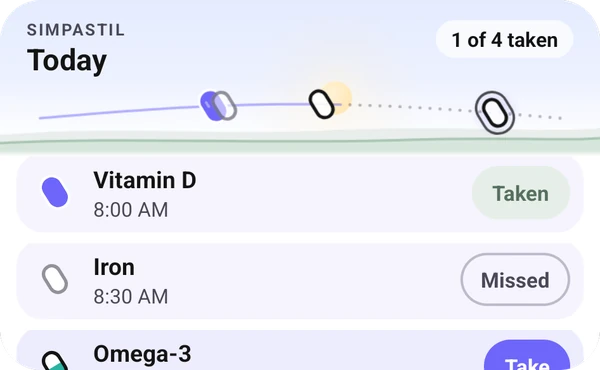
  • The Simpastil widget on a home screen: Today, 1 of 4 taken. Vitamin D is taken, Iron is missed, and Omega-3 has a Take button.

    Home-screen widget

    Today's doses on the home screen, with Take right there. A private mode hides names and counts.

  • History and trends

    A calendar, a day streak, adherence, time-of-day and as-needed charts. Days before someone joined are marked, not counted as empty.

  • Every day

    Routines on a day dial

    Every day, chosen weekdays, or every few days.

  • IronSam · 8:30Taken 8:31
    Recorded byMMara

    Applies to doses recorded from now on.

    Recorded by

    Each dose can say who recorded it: you, a name you type, or the person taking it.

  • Nothing is made until you press Export.

    PDF and CSV reports

    Made only when you export them, and kept apart from backups.

  • Your colours, your pace

    Light and dark themes, editable colours, and a Reduce motion setting.

  • Today1 of 3 pills taken
    Vitamin DMaraTaken
    IronSamMissed
    Taken nowSnoozeSkip

    English and Romanian

    More languages are welcome. Translations are a plain contribution.

  • Asking GitHub for the latest release

    Update availableA newer version of Simpastil is out.View release
    Check for updatesOnce a day, ask GitHub whether a newer version is out.

    Update notices

    A card says when a newer release is out. You install it, or Obtainium does.

All sorted

Ready for your day.

Free and open source. No account, no store, no cloud. Install it from the release, and it is yours.

Version 1.1.1 · Signed APK from GitHub

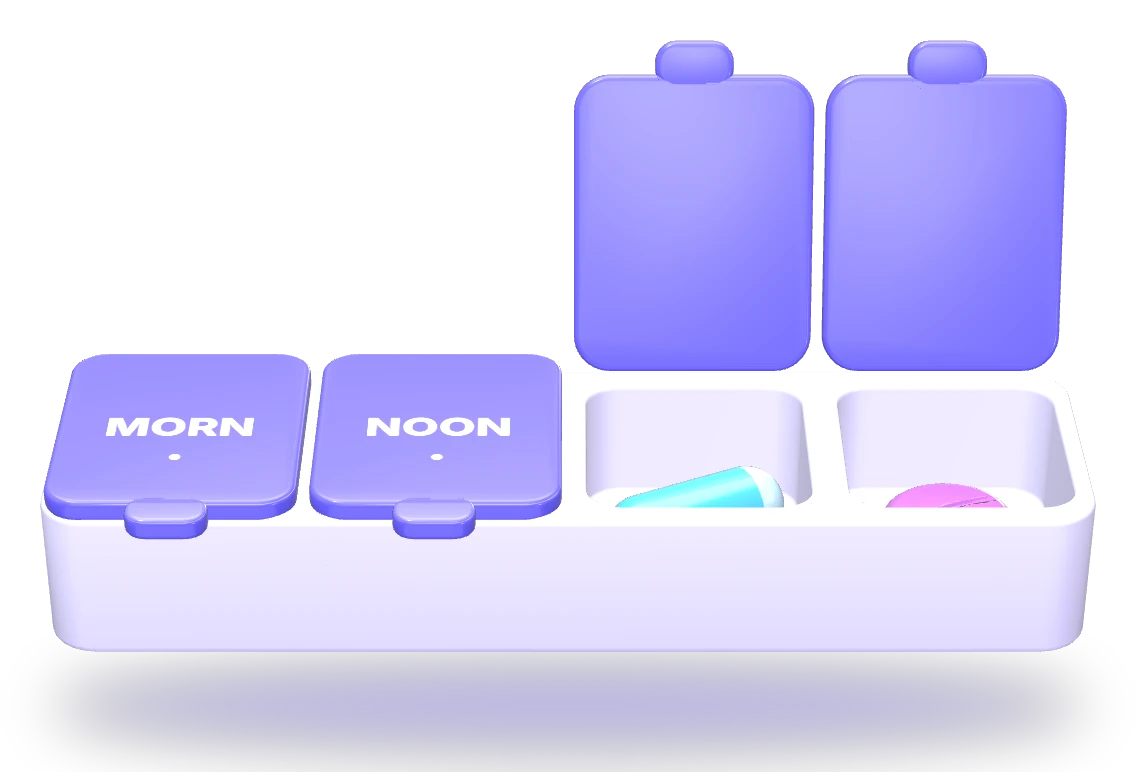
A four-compartment pill box: Morning and Noon lids closed, Evening and Night open with a pill in each.

Install

Two ways to run it.

Start with the app on its own. If you later want a phone and a tablet, or a whole household, on the same records, connect your own server.

  1. Download the APK

    Get app-release.apk from the latest GitHub release. Or add github.com/LucaPisl/simpastil to Obtainium as an app source, and each new release is offered to you.

  2. Check it, if you like

    The checksum shows the download is intact. The signing fingerprint shows who built it.

    terminal
    # must print OK
    sha256sum --check app-release.apk.sha256
    # compare the SHA-256 digest with the fingerprint below
    apksigner verify --print-certs app-release.apk
    Simpastil signing certificate, SHA-256BF:49:F2:AE:A7:AE:27:15:FD:ED:C6:BC:0A:A4:52:BF:E1:1C:BA:F1:20:DD:AB:87:AE:0B:89:9E:42:FA:69:70
  3. Allow the install

    Android asks once. Allow the app you opened the file with, in Settings › Apps › Special app access › Install unknown apps, then turn it off again afterwards.

  4. Open Simpastil and pick a start

    Start on this deviceNo account, no server. Add a person and a medication. Connect to a serverYour server's address and a key from its administrator. Restore a backupA portable backup file and its password.

    No permissions are asked at launch. Reminder access is requested when you set reminders up.

  5. Updating later

    Install a newer release over the old one and your data stays. Never uninstall or clear data to "fix" an update: that erases what is on the phone. Take a portable backup first if you want an independent copy.

  1. Have a host ready

    • A Linux machine with Docker Engine and the Compose plugin, plus git, openssl and node.
    • A domain name and a real TLS certificate for it. The app refuses self-signed certificates.
    • An SMTP server, for invitations and password resets.
  2. Three commands

    From a checkout of a release tag. The first writes every secret and the Compose settings, and refuses to overwrite anything that exists.

    your server
    scripts/init-deploy.sh --domain pills.example.org \
      --smtp-host smtp.example.org \
      --cert fullchain.pem --key privkey.pem
    docker compose --env-file /secure/simpastil/compose.env up --detach --build
    docker compose --env-file /secure/simpastil/compose.env run --rm provision rotate-bootstrap
  3. Create the administrator

    The last command prints a one-time proof. Within 30 minutes, open https://your-domain:34857/#/setup, and create the administrator. The proof works once.

  4. Bring people in

    From the admin console, send an email invitation, or create an API key and hand it over. Each key can be claimed once.

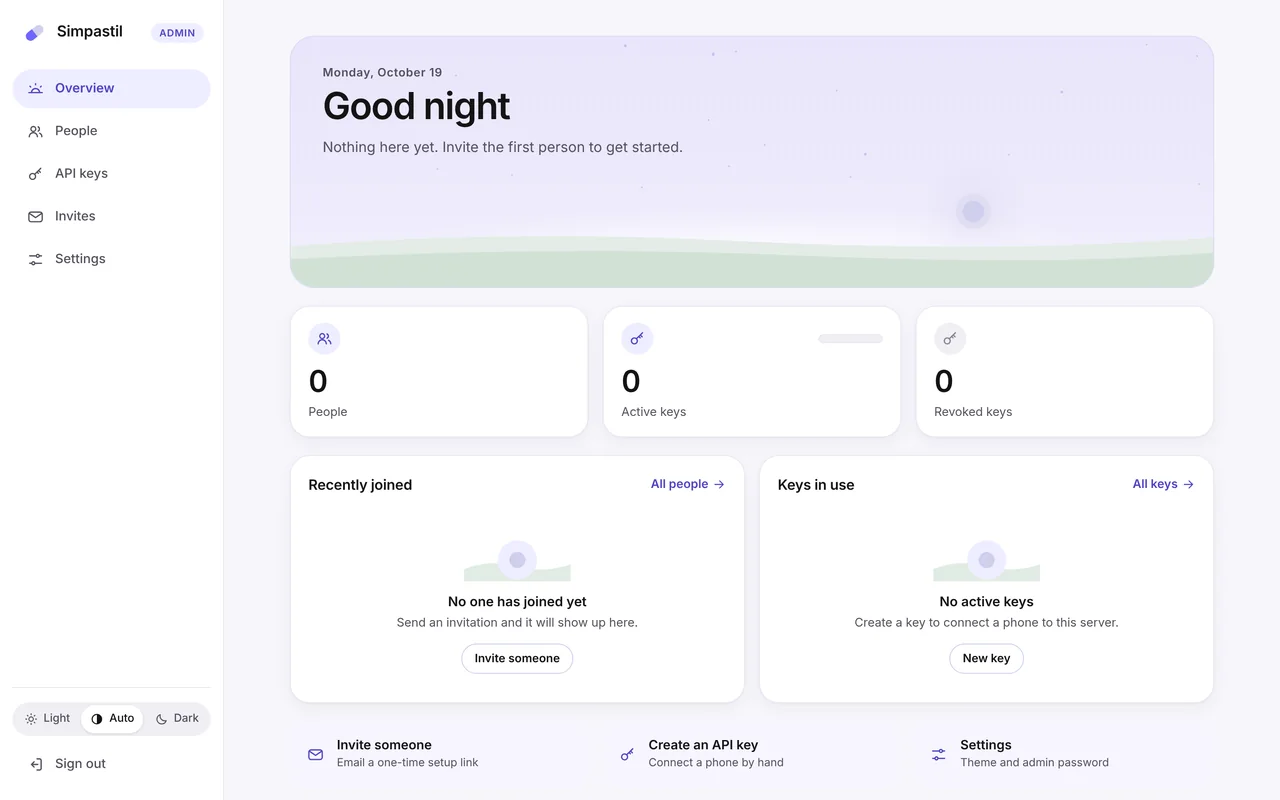
    The server's admin console: Overview, with counts of people, active keys and revoked keys, and shortcuts to invite someone or create an API key.
  5. Connect the app

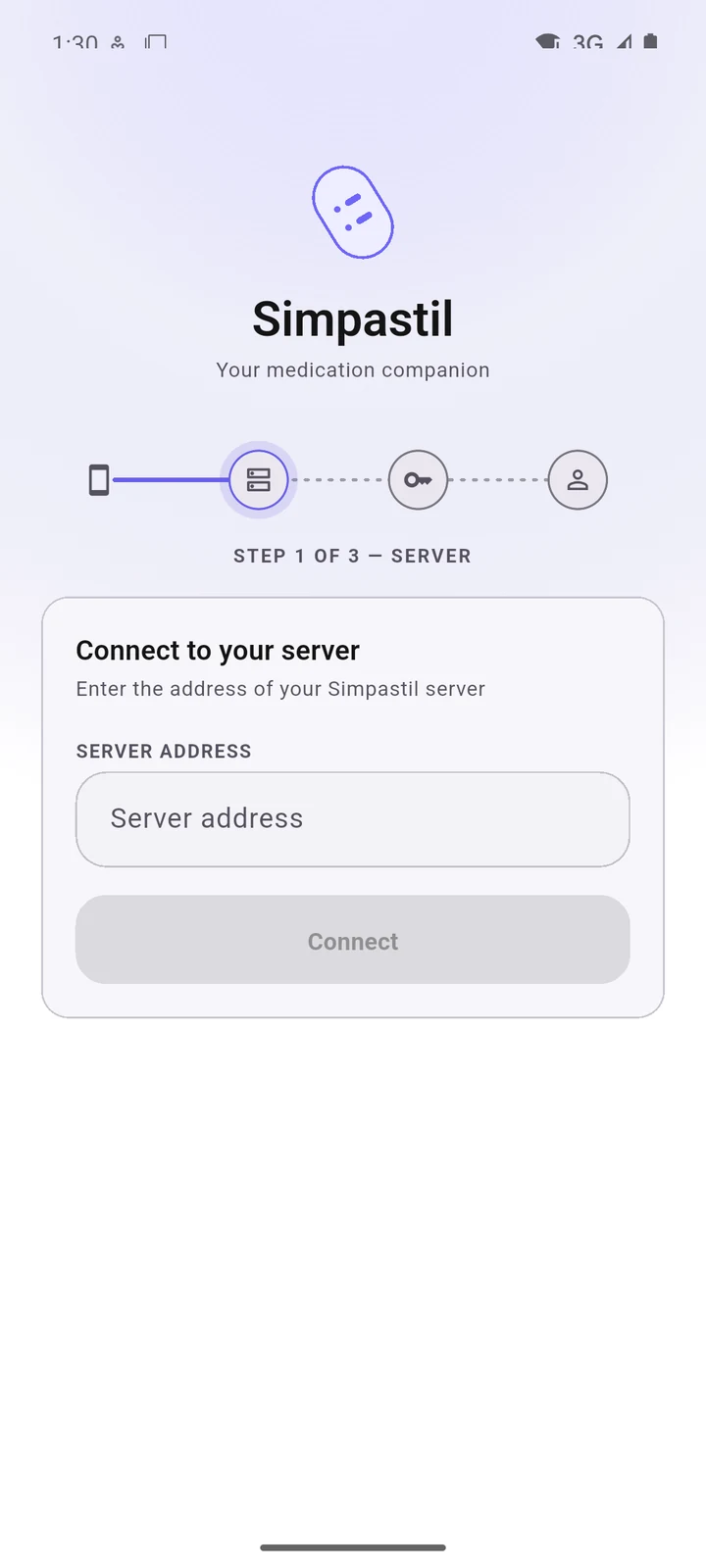
    In Simpastil, choose Connect to a server. Three short steps: the address, the key, then your account. The address has to use HTTPS.

    Simpastil's Connect to your server screen, step 1 of 3: a field for the server address and a Connect button.
  6. What you are running

    Apps nginxTLS 1.3 APIFastify PostgreSQL 16row-level isolation

    Plus an outbox worker for mail and the admin console. Upgrades are three commands, and each one takes its own backup before anything migrates. Once a day the server checks GitHub for a newer release and shows a banner; nothing is ever installed by itself.

Privacy

Your records stay where you put them.

On your phone by default. On a server only if you run one. Never on ours, because there isn't one.

Your care records
Stay on the phone, in an encrypted database.
Update check
At most once a day the app asks GitHub for the latest release. That request carries your IP address and nothing about you. Switch it off in Settings, under About.
Problem reports
Only when you press Report a problem, and only after you have seen exactly what it holds.
Analytics, ads, trackers
None. No Google Play Services, no Firebase.
  • Encrypted on the device

    An encrypted database (SQLite3 Multiple Ciphers, ChaCha20) whose key lives in the Android Keystore. It is left out of Android cloud backup and device transfer.

  • Optional app lock

    Adds your phone's own screen lock or biometrics before Simpastil opens. Your records stay encrypted either way.

  • Backups with their own password

    Portable backups are sealed with Argon2id and AES-256-GCM, using a password you choose. Nothing is backed up behind your back, so take one now and then.

  • Quiet on the lock screen

    You choose whether reminders show medicine names on the lock screen and in the widget.

  • Isolated on your server

    Each account is kept apart by PostgreSQL row-level security, behind nginx with TLS 1.3 only. Every client presents an API key, and keys can be revoked.

  • No medical advice

    Simpastil keeps records and shows them back clearly. Decisions about medication stay with you and the people who prescribe it.

What it asks Android for

  • NotificationsTo remind you. Asked only when you set reminders up.
  • Alarms and remindersSo a reminder arrives on time, not whenever the phone gets round to it.
  • Start after a restartTo put reminders back after the phone reboots.
  • Battery exceptionOptional, and skippable. Offered only when Android holds Simpastil back.
  • InternetFor your server, if you connect one, and the update check.
What a problem report holdsAn example, in the real format
Simpastil problem report
privacy: no names, medicines, doses, notes,
         server address, account or sign-in
         details are in this file

[app]       version 1.1.1 · build 5 · language en
[device]    android 14 · screen phone
[permissions] notifications allowed
            exact-alarms allowed
[data]      profiles 1 · medicines 2-5
            dose-records 6+
[sync]      connected yes · last-success 1-6h
[last-stop] reason EXIT_CRASH

Sizes are ranges and times are rough on purpose. Submit issue on GitHub saves it and opens a prefilled form; Share another way lets you email it or pass it to another app.

Support the work

Made by one person. Helped by you.

Simpastil is free and stays free. If it is useful, a coffee keeps development going. Bug reports, translations and code help just as much.

Questions

Before you install.

Anything else: simpastil@protonmail.com

Is it on Google Play or F-Droid?

Not yet. Install the signed APK from the GitHub release, or let Obtainium follow the releases for you. An F-Droid listing is planned.

What does it cost?

Nothing. It is free and open source under the AGPL-3.0, with no paid tier and no ads. Donations on Ko-fi are welcome and entirely optional; nothing in the app depends on them.

Do I need the server?

No. The app is complete on one device. The server only keeps several devices on the same records, and you run it yourself. You can start on the device and connect a server later.

Can it remind me?

Yes. Reminders are planned on the phone from each routine, and Taken, Snooze and Skip work right from the notification. Notification access is asked only when you set reminders up, and Settings tells you plainly whether delivery is working.

What if I lose my phone?

Care data is kept out of Android's cloud backup on purpose. Export a portable backup from Settings, under Backups, now and then. It is encrypted with a password you choose, and you can restore it on a new phone. With your own server, the records are there too.

Does it work on a tablet?

Yes. On a tablet each screen has its own wide layout with a navigation rail, a two-pane Today, and lists beside their details.

Which languages?

English and Romanian. Translations are welcome as a plain contribution on GitHub.

Is this medical advice?

No. Simpastil records what you tell it and shows it back clearly. Decisions about medication belong with you and the people who prescribe it.